

Claim three free designs.No card. Until November 27.

Abandoned cart email examples, and how to design one

A good abandoned cart email names what was left, shows it, and offers one way back. Below are the cart reminders R10N designed for Graza and Pup Cup, what each one does, and the plan most stores follow: how many to send, when, and whether to discount.

Your first three designs are free until November 27. No card.

The anatomy of a good abandoned cart email

A headline that says plainly what happened, the product they left with its photograph and price, one button back to the cart, and a line that answers the doubt that made them leave: shipping, returns, or how it fits.

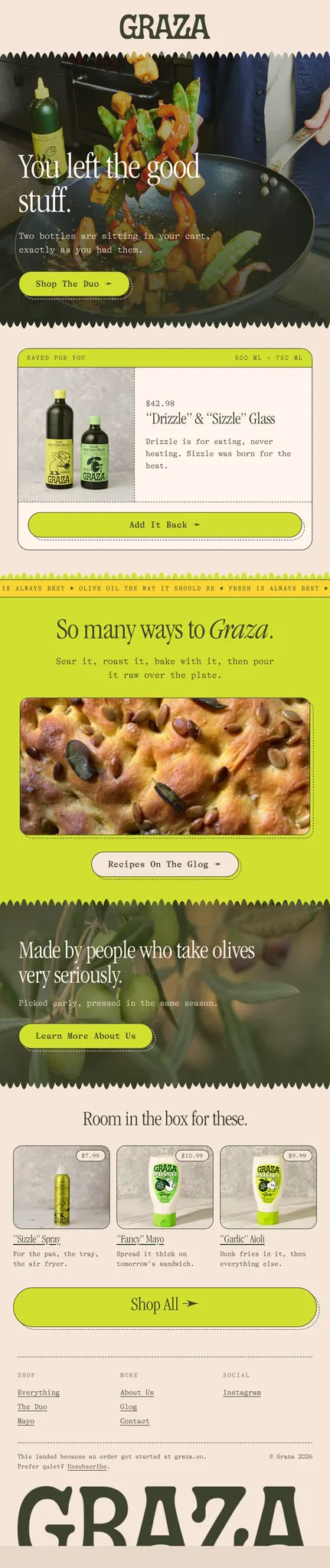
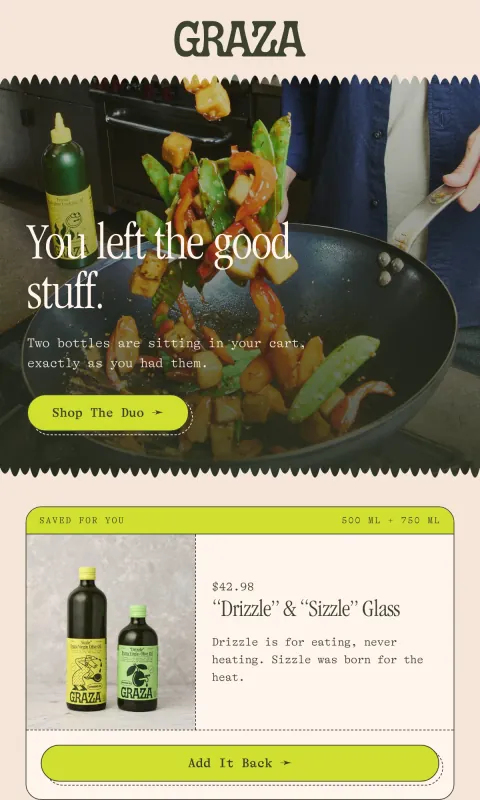
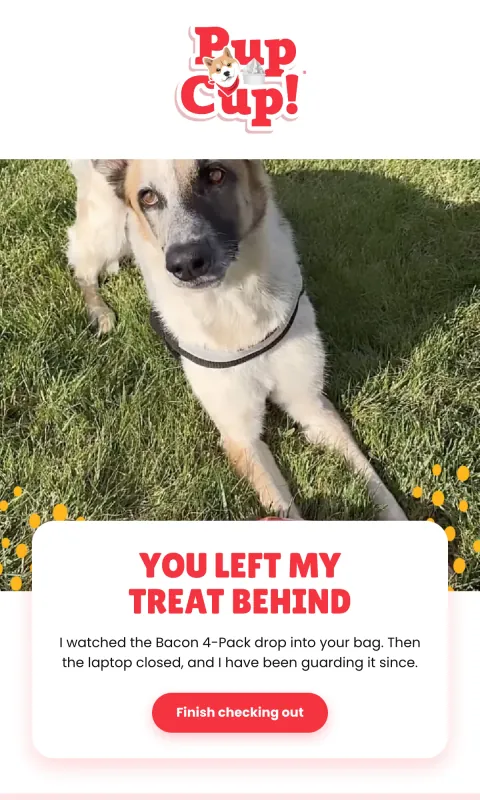
  • Say what happened, in the brand’s voice. Graza’s reads “You left the good stuff.” Pup Cup’s is written by the dog: “You left my treat behind.” Neither one sounds like a system notice.
  • Show the product, with the price. Graza’s puts the bottles in a saved-for-you card with the price beside them, so nobody has to go back to remember what it cost.
  • One way back. “Add it back”, “Finish checking out”. One button, named for what it does.
  • Answer the doubt. Free shipping over a threshold, an easy return, a review from someone who bought it. Pick the one your customers ask about.

How many to send, and when

  1. A few hours after they leave: the reminder itself. No discount.
  2. About a day later: the doubt answered, with reviews or the returns promise.
  3. Two to three days later, if you send a third: the last call, and the place for a small offer if you use one.

The flow itself runs in your email platform, which knows who left a cart and stops the series once they buy. R10N designs the emails that go into it.

Where an image email fits in a cart flow

An image email is the same for every reader, so it cannot list each shopper’s own items. That leaves two good ways to use one. Design the reminder around your brand and a general message (your cart is waiting, here is why people love it), or keep the design for the hero and the reassurance, and let your platform’s dynamic cart block show each shopper’s items beside it. We explain the wider trade-off in Image-only emails.
Cart reminders R10N designed

Two real examples, each made from the brand's public site. Open one to read it at full length.

Concept designs generated by R10N from each brand’s public website. Not affiliated with or endorsed by the brands shown. To request removal, email hello@r10n.app.

Design yours

An abandoned cart reminder. Warm, a little playful, our best seller in a card with its price, free shipping over $50, and one button back to the cart.

A prompt, as you would type itTry it

Save it as a template in Klaviyo, Omnisend or Mailchimp and use it in the cart flow you already run there. For a store, Shopify email design covers what R10N reads from your catalog.

Questions

How many abandoned cart emails should I send?

Two or three is common: the first within a few hours, a second about a day later, and a third a few days after that. Stop the moment they buy.

Should an abandoned cart email include a discount?

Not in the first one. Plenty of shoppers come back without one, and a discount in the first reminder can teach people to leave carts on purpose to get a code. If you use one, keep it for the last email.

Can an image email show what is in each shopper's cart?

No. A picture is the same for everyone, so it cannot list each shopper's own items. Either design the reminder around your brand and a general message, or place your email platform's dynamic cart block next to the design so it fills in each shopper's items.

What is the difference between abandoned cart and abandoned checkout?

An abandoned cart email goes to someone who added a product and left. An abandoned checkout email goes to someone who started checking out and did not finish, which usually means they were closer to buying. Shopify and Klaviyo track them as separate events.

Start with your website. The rest designs itself.

Your first three designs are free. No card.