What email would you like to design today?
Describe it in a sentence. An on-brand, mobile-perfect email arrives. Schedule it to Klaviyo, Omnisend or Mailchimp in two clicks.



Sped up. The real thing takes a few minutes.
Tested on the world's best Shopify brands.














Demonstrations on public brands, designed by R10N. Not customers.
Every one of these, top to bottom.
Full emails, exactly as they exported. Rest on one to hold it still.


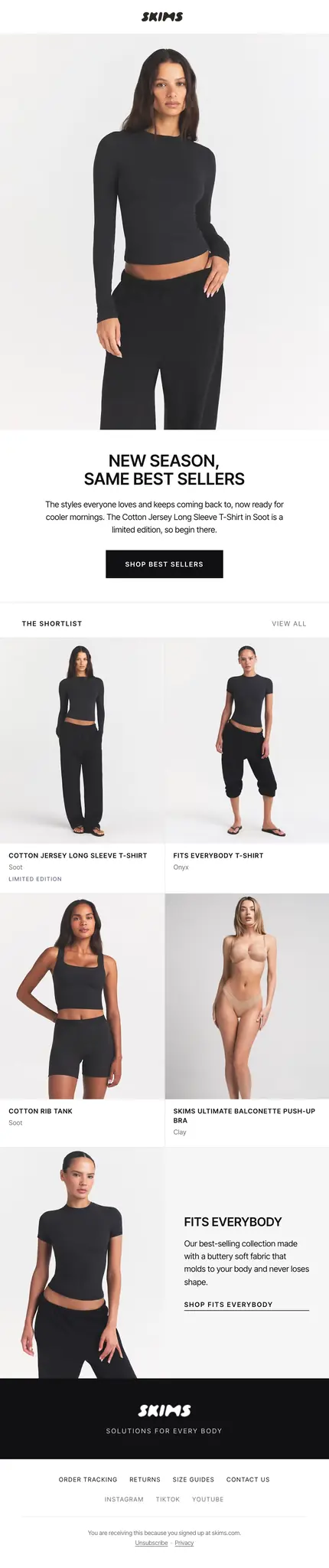
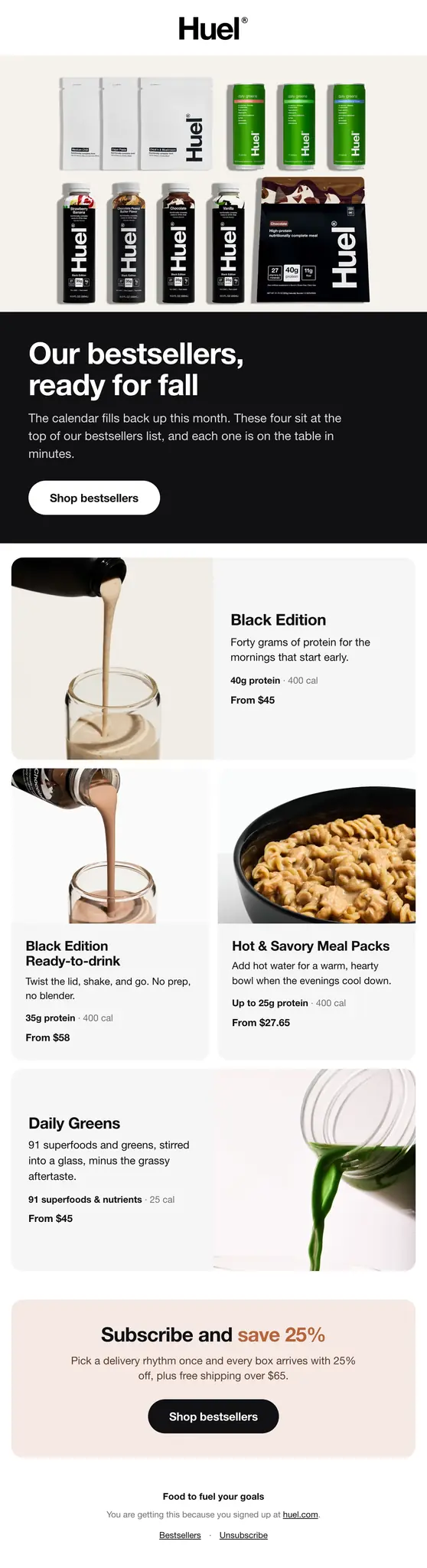

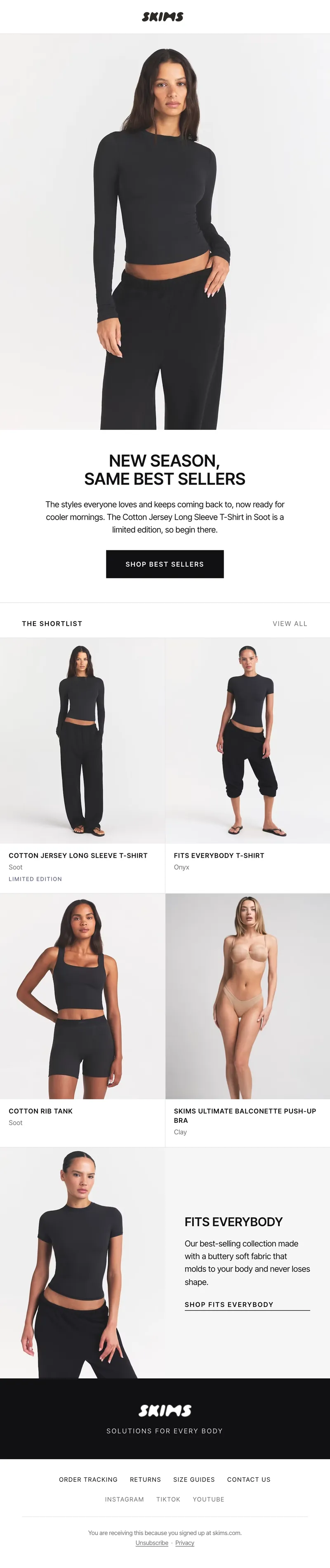
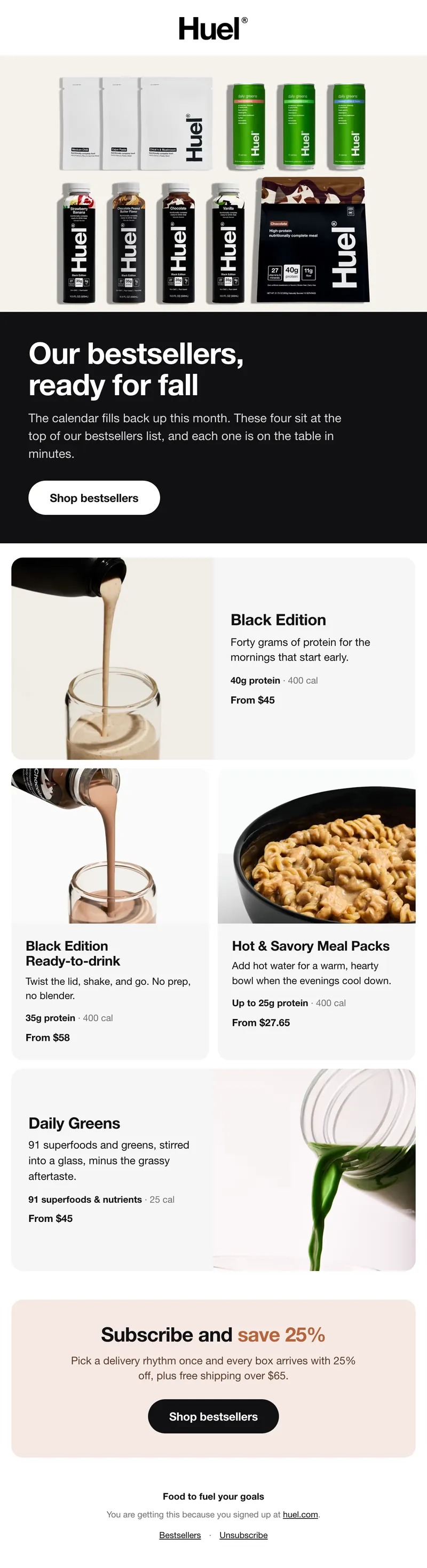

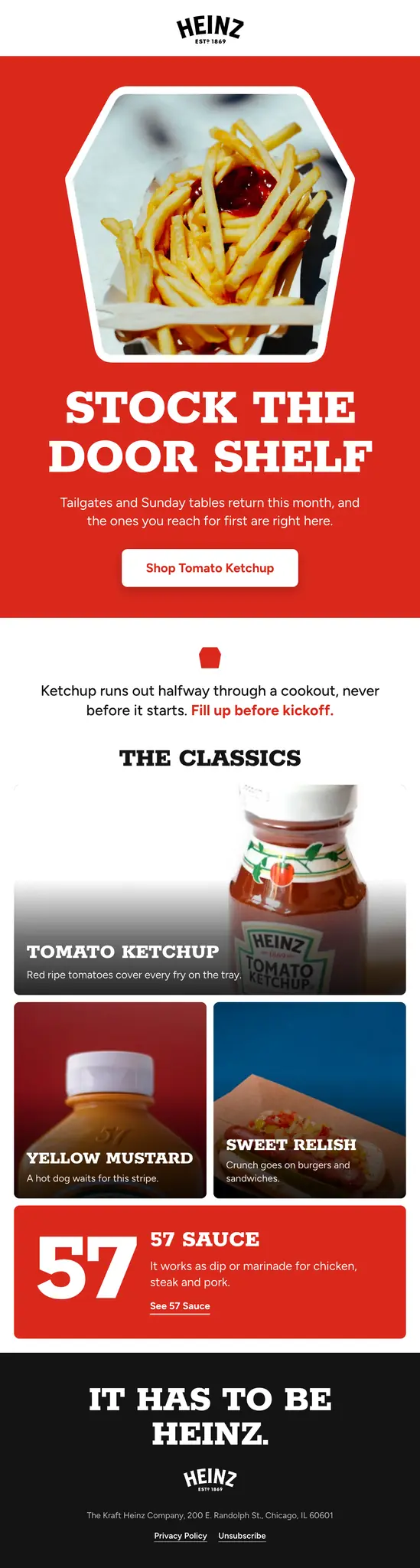

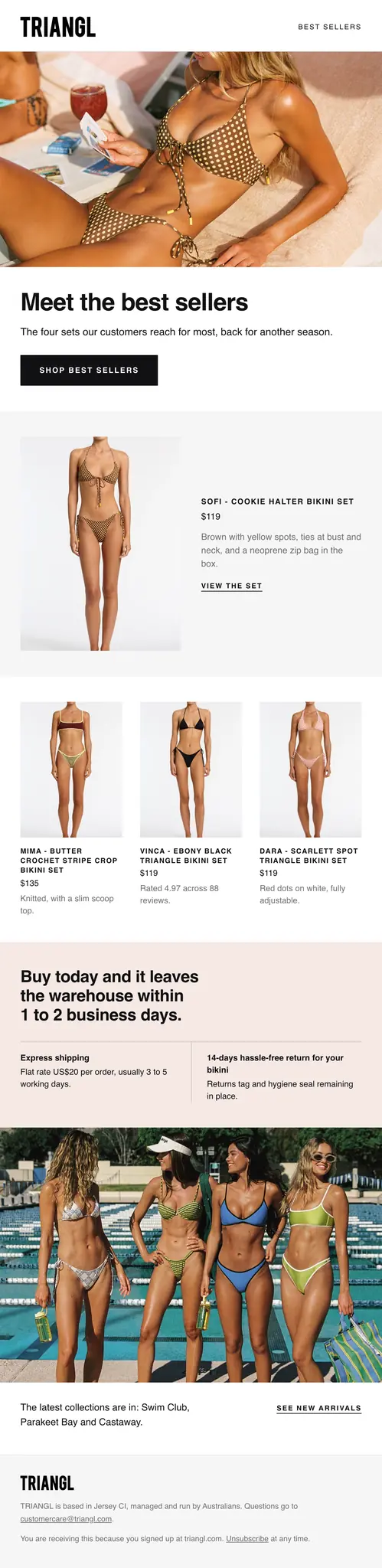
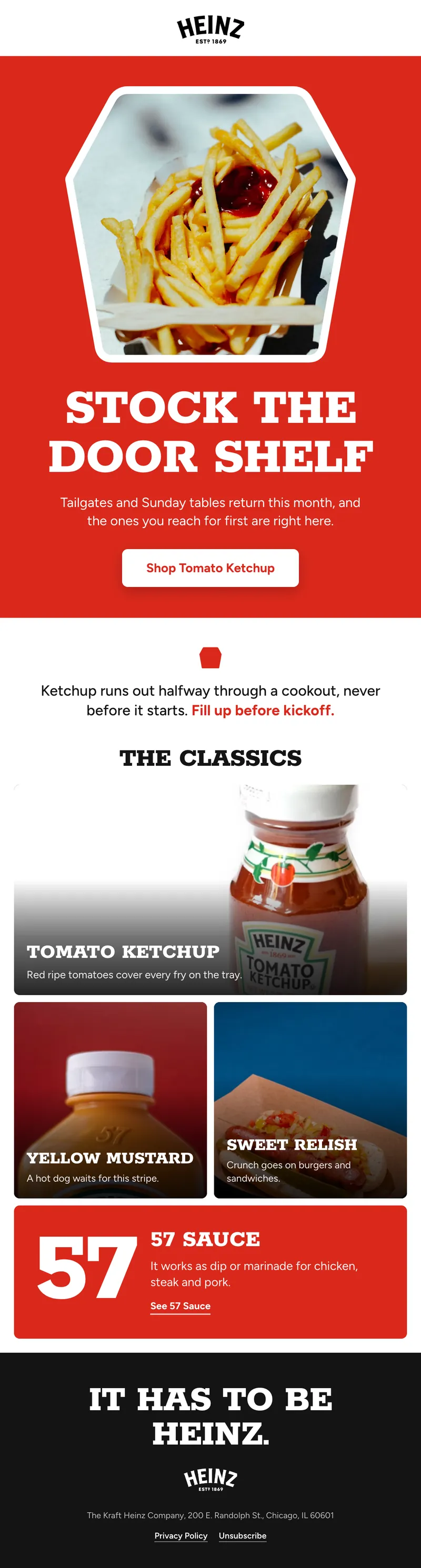

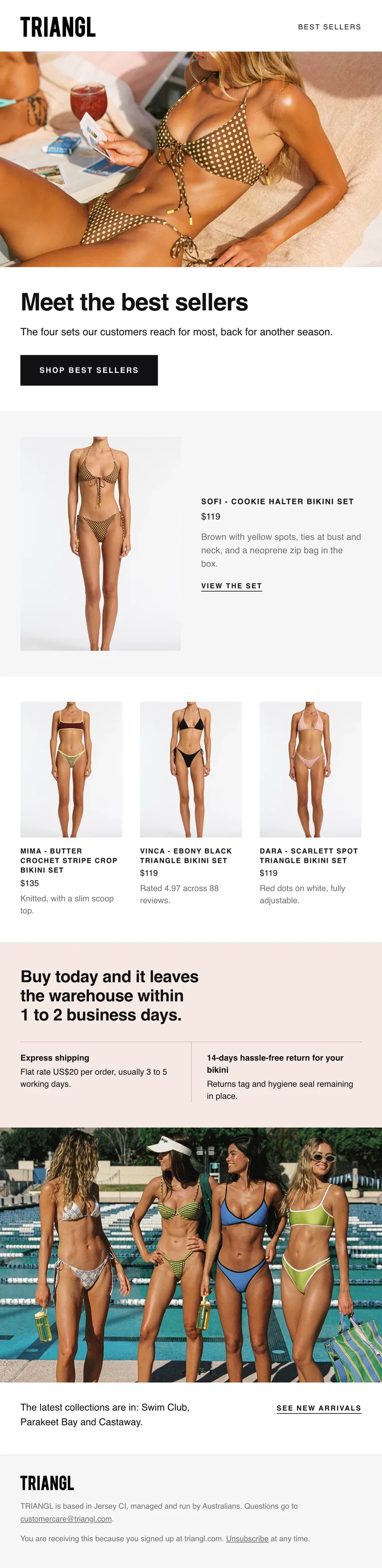

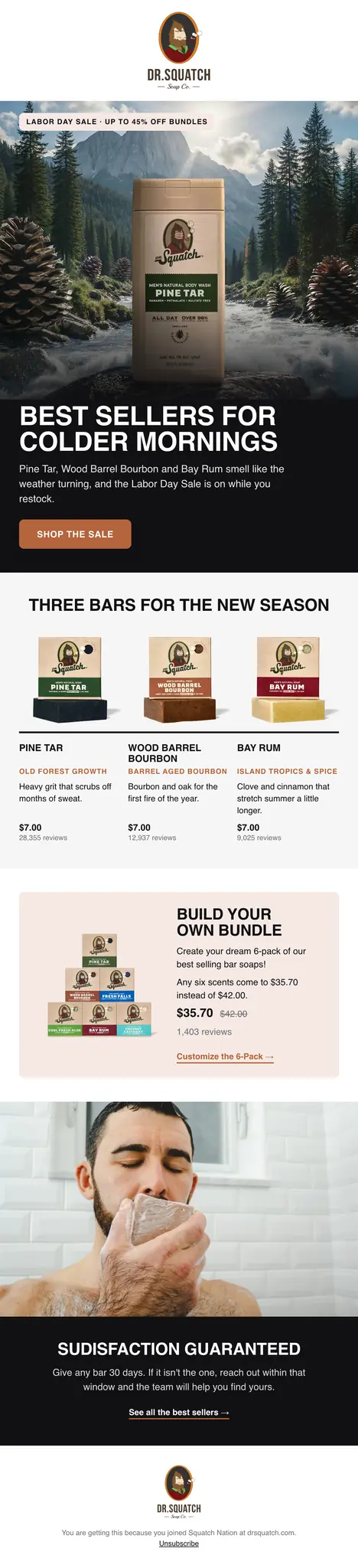
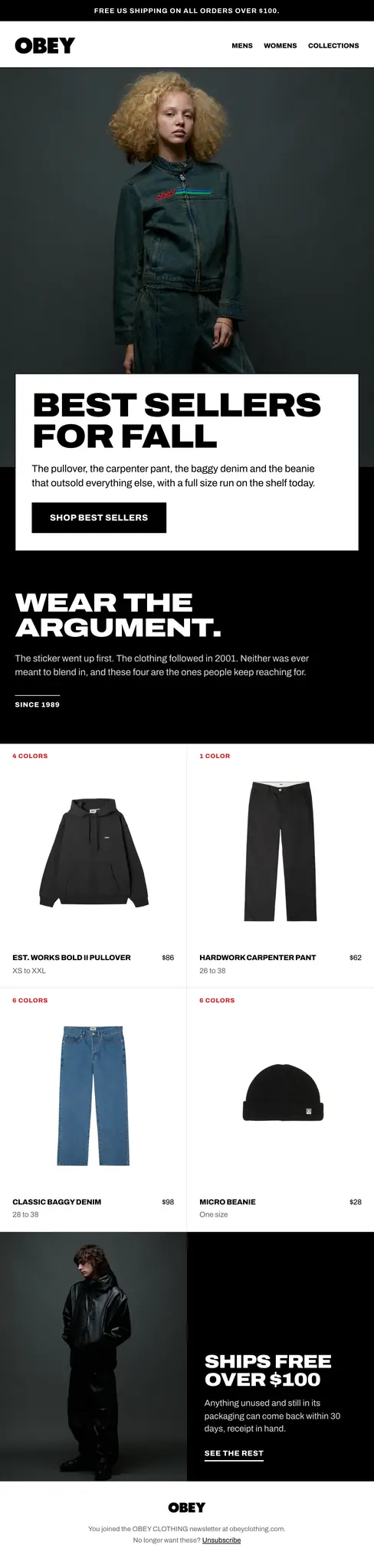

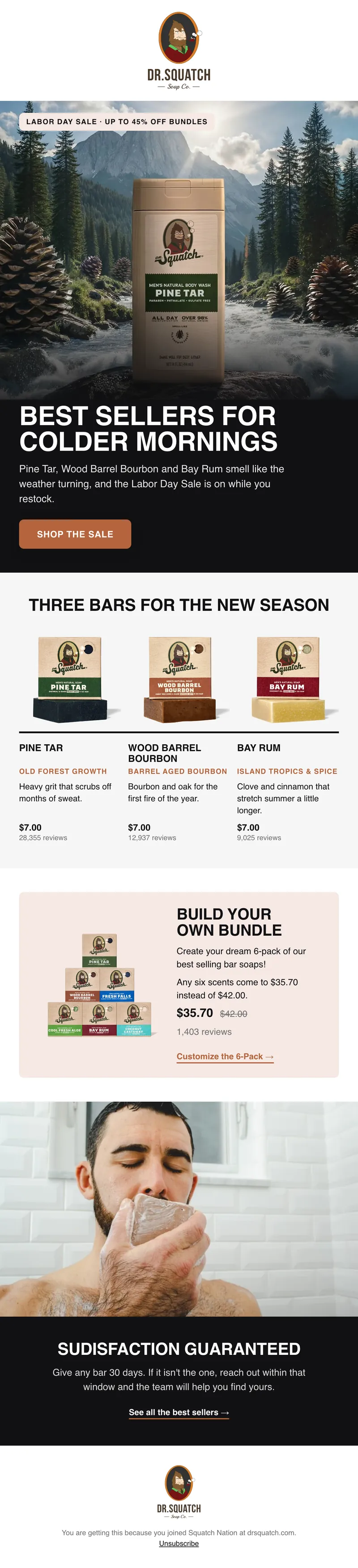
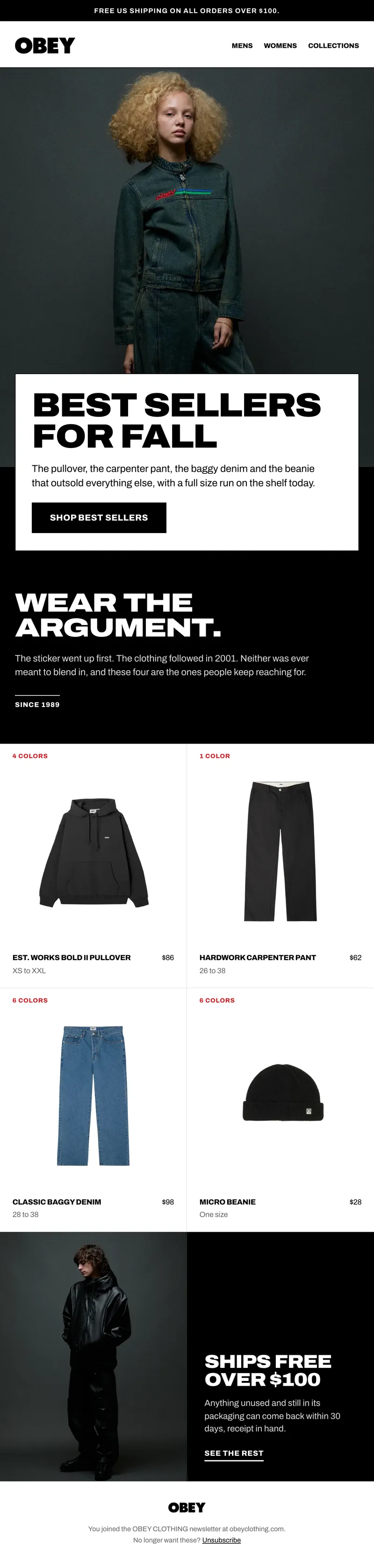

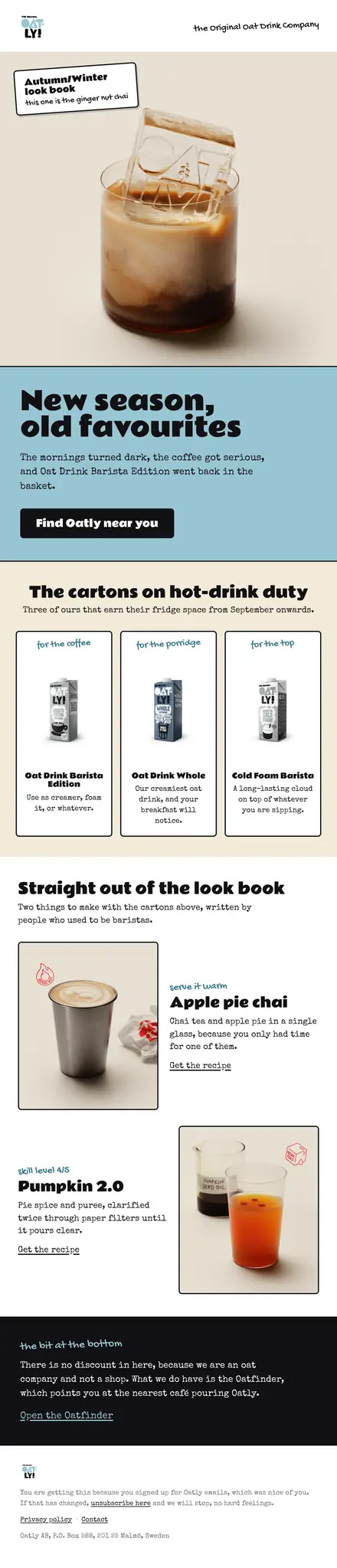
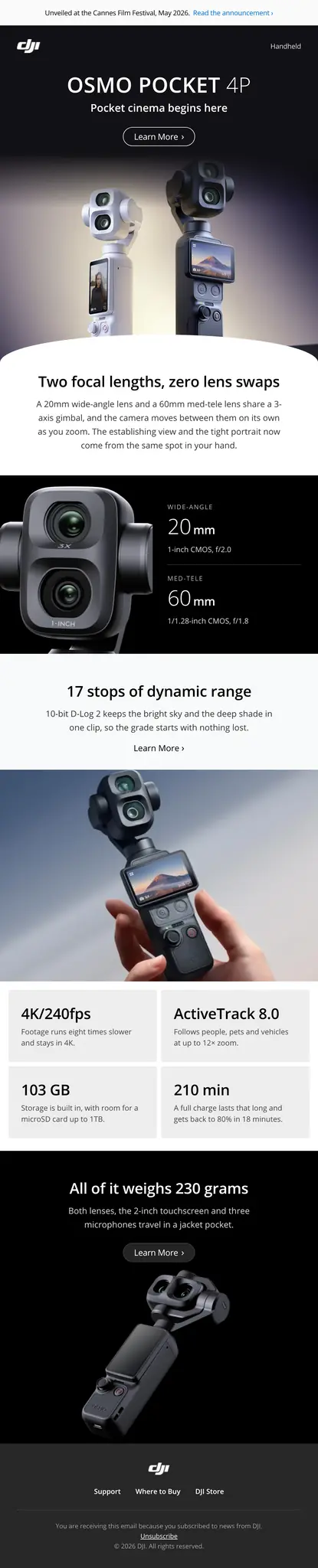
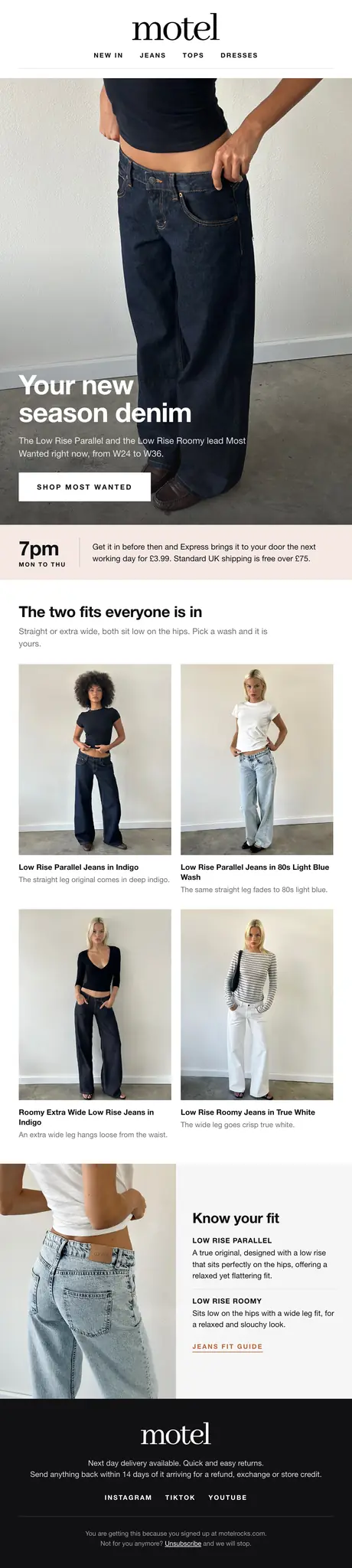

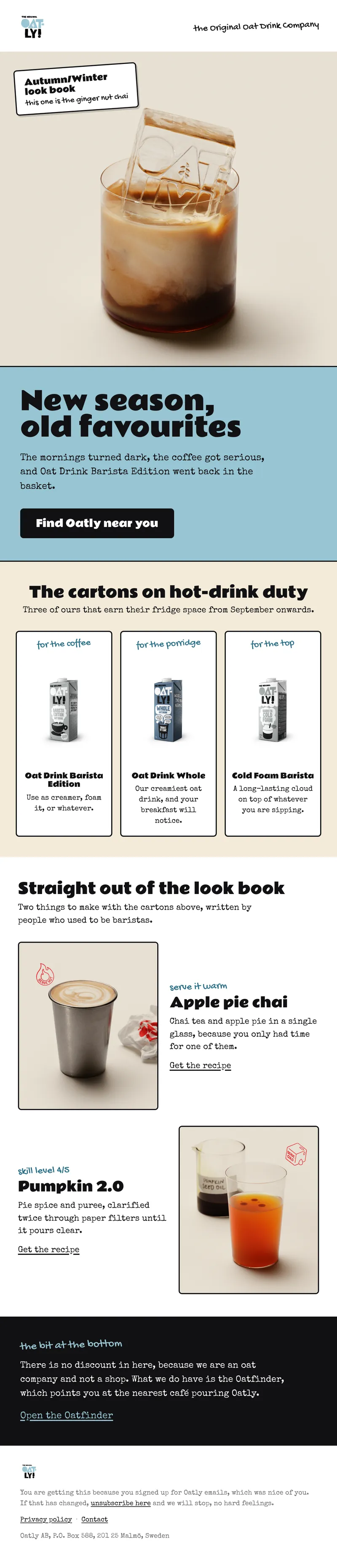
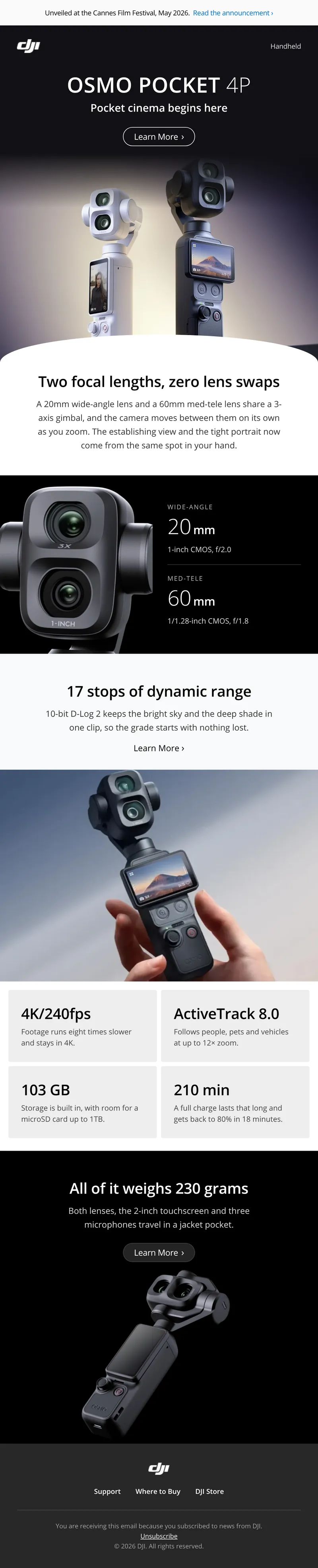
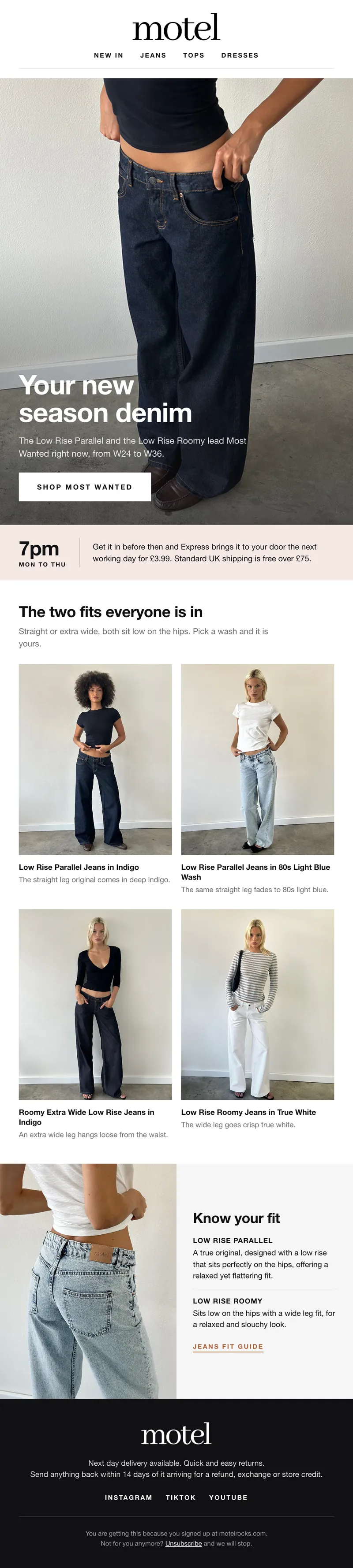

Concept designs generated by R10N from brands’ public websites. Not affiliated with or endorsed by the brands shown. To request removal, email hello@r10n.app.
It reads your brand before it draws a thing.
Paste your website and R10N measures it: the colors you actually use, the type you set, your logo, your products, the way you write. Every email starts from that, so it looks like you paid a designer who knows you.

Change anything by asking. Or by clicking.
Not sold on a section? Say so in the chat and R10N designs you another take of just that part, with everything else left alone. Want a different word? Click straight into the email and type, the way you would in a document.
Straight into your email platform. Two clicks.
The finished email exports as sliced, linked images and goes straight into your Klaviyo, Omnisend or Mailchimp account, so it looks exactly the same in every inbox and nothing needs rebuilding. We design. You send.
Connect your account once. The finished email lands there as a campaign, ready to schedule, in two clicks. Nothing to rebuild.
Inside the AI you already use.
Planning the launch in Claude or ChatGPT? Ask the same chat for the emails. They come out on brand, from your brand kit, as good as anything you make in R10N.
Add a brand from its website, change an email in plain words, put it on your calendar. Nothing sends until you press Schedule in R10N.
Choose your AI
 ClaudeSettings, Connectors
- In Claude, open Settings, then Connectors.
- Choose Add custom connector, name it R10N and paste the address below.
- Sign in to R10N and choose your workspace. That's it.
https://r10n.app/api/mcp ChatGPTSettings, Connectors, Developer mode
- In ChatGPT, open Settings, then Connectors.
- Under Advanced, turn on Developer mode, then choose Create.
- Name it R10N, paste the address below and pick OAuth.
- Sign in to R10N and choose your workspace. That's it.
https://r10n.app/api/mcp Claude CodeOne line in your terminal
- Run this line in your terminal.
- In Claude Code, type /mcp and choose r10n.
- Sign in to R10N and choose your workspace. That's it.
claude mcp add --transport http r10n https://r10n.app/api/mcp CursorAdd to ~/.cursor/mcp.json
- Press Add to Cursor, or paste these lines into your Cursor MCP settings.
- In Cursor's MCP settings, choose Connect next to r10n.
- Sign in to R10N and choose your workspace. That's it.
Add to Cursor, one click{ "mcpServers": { "r10n": { "url": "https://r10n.app/api/mcp" } }} VS CodeAdd to .vscode/mcp.json
- Press Add to VS Code, or paste these lines into your MCP settings.
- Start r10n when VS Code offers to.
- Sign in to R10N and choose your workspace. That's it.
Add to VS Code, one click{ "servers": { "r10n": { "type": "http", "url": "https://r10n.app/api/mcp" } }} WindsurfAdd to mcp_config.json
- In Windsurf, open the MCP settings and choose View raw config.
- Paste these lines and save.
- Sign in to R10N and choose your workspace. That's it.
{ "mcpServers": { "r10n": { "serverUrl": "https://r10n.app/api/mcp" } }} Grokgrok.com/connectors
- In Grok, open Connectors (grok.com/connectors).
- Choose New, then Custom. Name it R10N and paste the address below.
- Sign in to R10N and choose your workspace. That's it.
https://r10n.app/api/mcp ManusSettings, Integrations
- In Manus, open Settings, then Integrations.
- Choose Custom MCP, name it R10N and paste the address below.
- Sign in to R10N and choose your workspace. That's it.
https://r10n.app/api/mcp- In your app, add a remote MCP server (it may be called a connector or an integration).
- Paste the address below. If it asks how to sign in, pick OAuth.
- Sign in to R10N and choose your workspace. That's it.
https://r10n.app/api/mcpDesign it right inside Figma.
Describe an email in the R10N plugin and it lands on your canvas, on brand. Or bring in one you have made in R10N. Every section, word, image and button arrives as its own layer, named the way a designer would name it.
 Get the Figma pluginFree on any Figma plan.R10N / SULT · 1,000,000+ sachets sold
 Connected
 SULTA new email for this brand
Celebrate 1,000,000 sachets sold, and thank everyone who stirred one in
Priced for how much you design.
Your first three designs are free. Editing them or designing more needs a plan, from $99 a month. Every plan has every feature, and you can cancel any time.
$299a month
Billed monthly
For brands sending almost daily and always testing.
Start with StudioAt this size
- Sized for near-daily sending: triple the room of $99
- Test anything: new offers and layouts every week
- Usage never runs short: fill up credits any time, unused credits roll over
No contract. Cancel any time.
Every plan includes
- One-line briefs: full emails built from your live products
- Brand Kit: your fonts, colors and voice, yours to control
- Strategist Calendar: your whole month of campaigns, planned for you
- Klaviyo, Omnisend and Mailchimp: export or schedule in seconds
- Chat or self editing: change anything, any time
- Version history: every edit saved, every variation testable
- GIF banners and branded footers: designer-level, built in
- Figma plugin: every layer named, ready for your designer
- MCP: works inside ChatGPT, Claude and Cursor
- Unlimited brands and seats: your whole team, every store
- FlowsComing soon
Change size from Billing whenever you like.
Everything R10N does, on every plan.
The sizes differ only in how much you can design each month. Nothing here is held back for a bigger plan.
| Feature | Solo$99 a month | Solo$199 a month | Studio$299 a month | Studio$499 a month | Agency$999 a month |
|---|---|---|---|---|---|
| Design room | |||||
| How much you can design each month | Weekly sends | 2x the room | 3x the room | 5x the room | 10x the room |
| Top up any timeWithout changing plan | |||||
| Unused credits roll overFor a month, or the whole year on a yearly plan | |||||
| Design | |||||
| On-brand emails from one sentenceA finished email that looks right on a phone | |||||
| Change anything by chat or by clicking | |||||
| Version historyEvery edit saved | |||||
| Moving GIF banners | |||||
| Footers designed for your brand | |||||
| Your brands | |||||
| Brand Kit, read from your websiteYour colors, type, logo, products and voice | |||||
| Unlimited brands | |||||
| Unlimited seatsYour whole team, with no seat fees | |||||
| Plan and send | |||||
| Strategist CalendarYour month of campaigns, planned for you | |||||
| Export or scheduleKlaviyoOmnisendMailchimp | |||||
| The same in every inboxSent as sliced, linked images | |||||
| Where you already work | |||||
| MCPClaudeChatGPTCursorAsk for on-brand emails from your AI assistant | |||||
| Figma pluginFigmaEvery layer named | |||||
| Getting started | |||||
| Set up in one pass from your website | |||||
| A setup call for your client brands | |||||
| Coming soon | |||||
| FlowsA whole sequence of emails, planned and designed as a set | Coming soon | Coming soon | Coming soon | Coming soon | Coming soon |
Your whole team is included on every plan, with no seat fees. Run short and you can top up any time without changing plan, and whatever you do not use carries over.
Designing for other people’s brands?
Ask for a callRun R10N across every client you look after, each brand kept in its own kit. Tell us how many you handle and we will set up a call.
Start with your website. The rest designs itself.
Your first three designs are free. No card.